What’s new
What’s new in PAD
PAD is a project management assistant for project managers. PAD v68 adds a private budget, joining by project code, file sharing between projects, joint projects and a simpler phone navigation.
What changed in PAD v68?
1. What is the private budget?
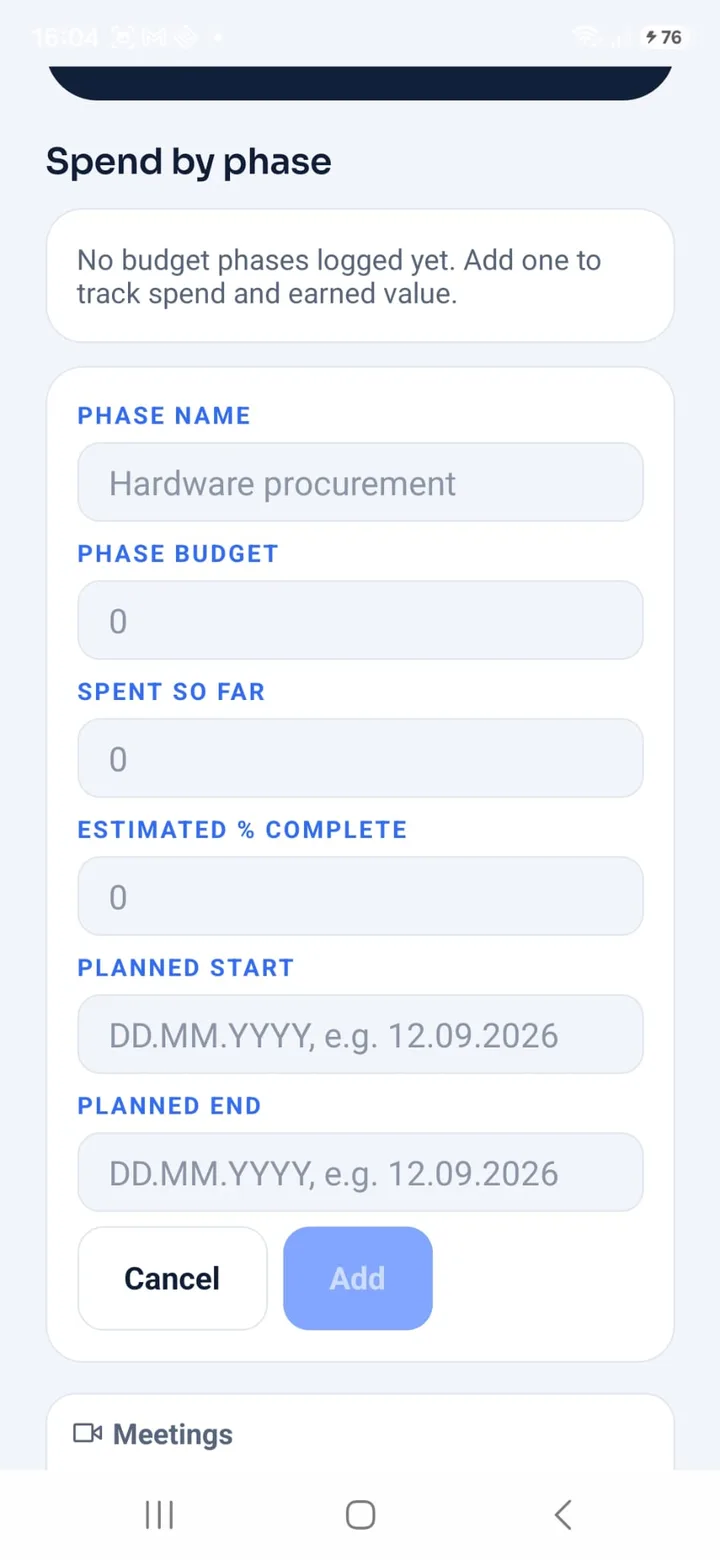
The private budget in PAD limits budget figures to four project roles: Project Manager, System Engineer, Budget Owner and Customer. Everyone else can request access from the Project Manager in the Budget tab. Confidential financial figures stay with the people who need them.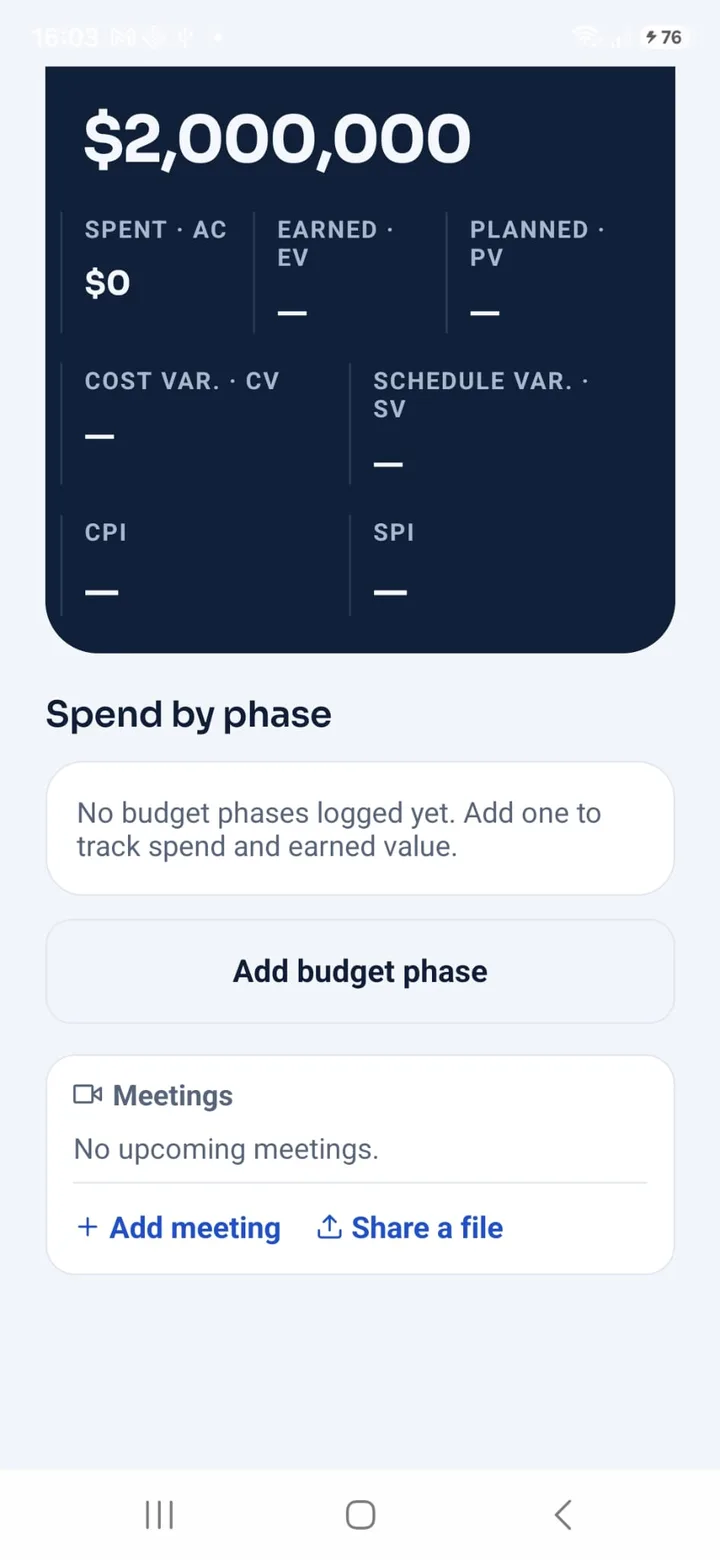
2. How does the Project Manager give someone access to the budget?
Open the project and go to the Team tab. If the person is already on the project, tap Change role under their name and pick System Engineer, Budget Owner or Customer. Those roles can see the budget. If the person is not on the project yet, use Add a person with their PAD account e-mail, or Invite with a link if they have no account, and choose the role before you add or send it. Someone who joins with a project code gets the role you pick when you approve the request. A member with another role can open the Budget tab and ask for permission. The request then appears under Budget access in the Team tab, where you can approve it, decline it, or withdraw the access later.
3. How do I join a project with a code?
A team member joins a PAD project by entering the project code in Profile. The code comes from the Project Manager, who approves each request before the person becomes a member.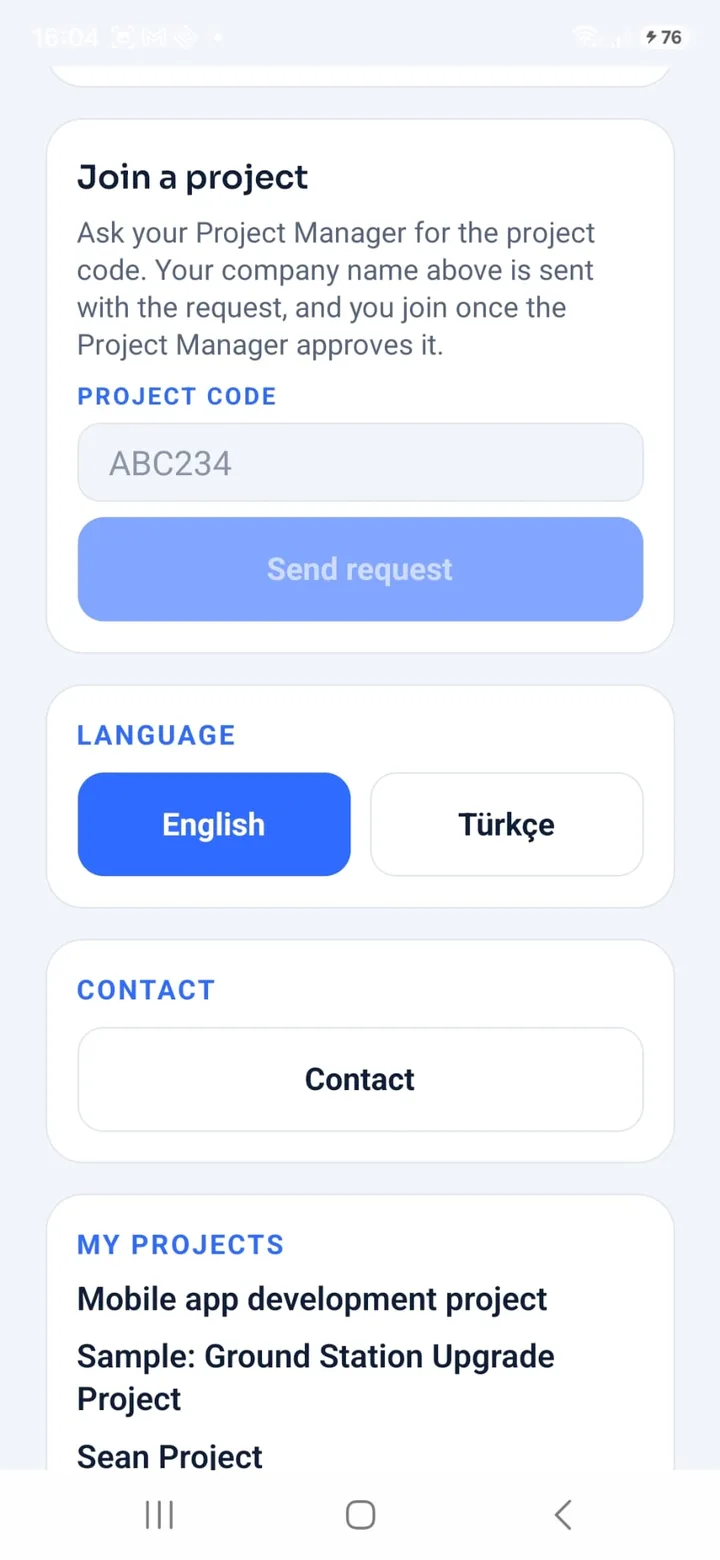
4. How many members can a project have for free?
A PAD project can have up to 7 members at no cost. The limit is per project, and the Project Manager decides who joins.
5. How do I share files between projects?
PAD sends a file from one project to another project the person belongs to, or to a linked partner project, one file at a time.
6. What are joint projects?
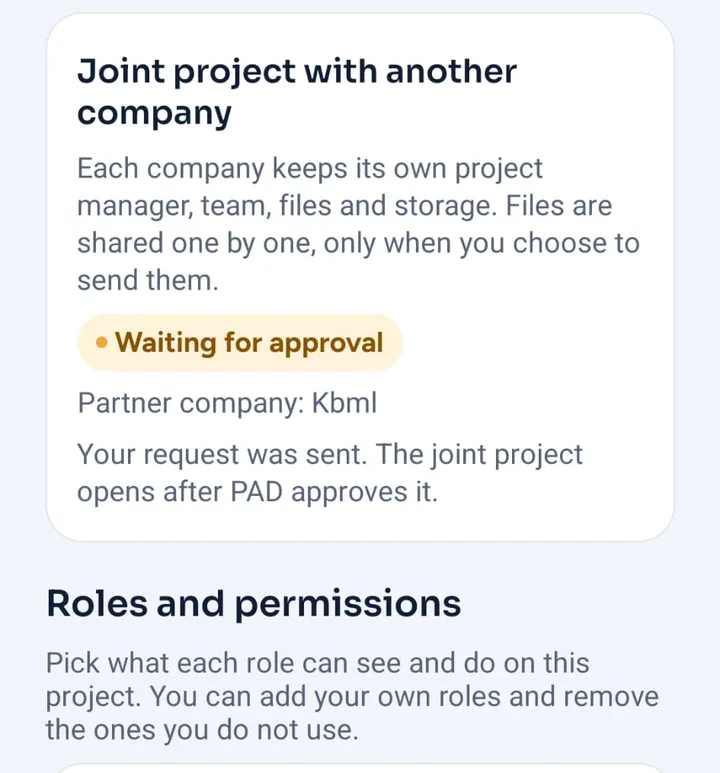
Joint projects in PAD link the projects of two companies. Each company keeps its own team, files and storage while the two projects stay connected.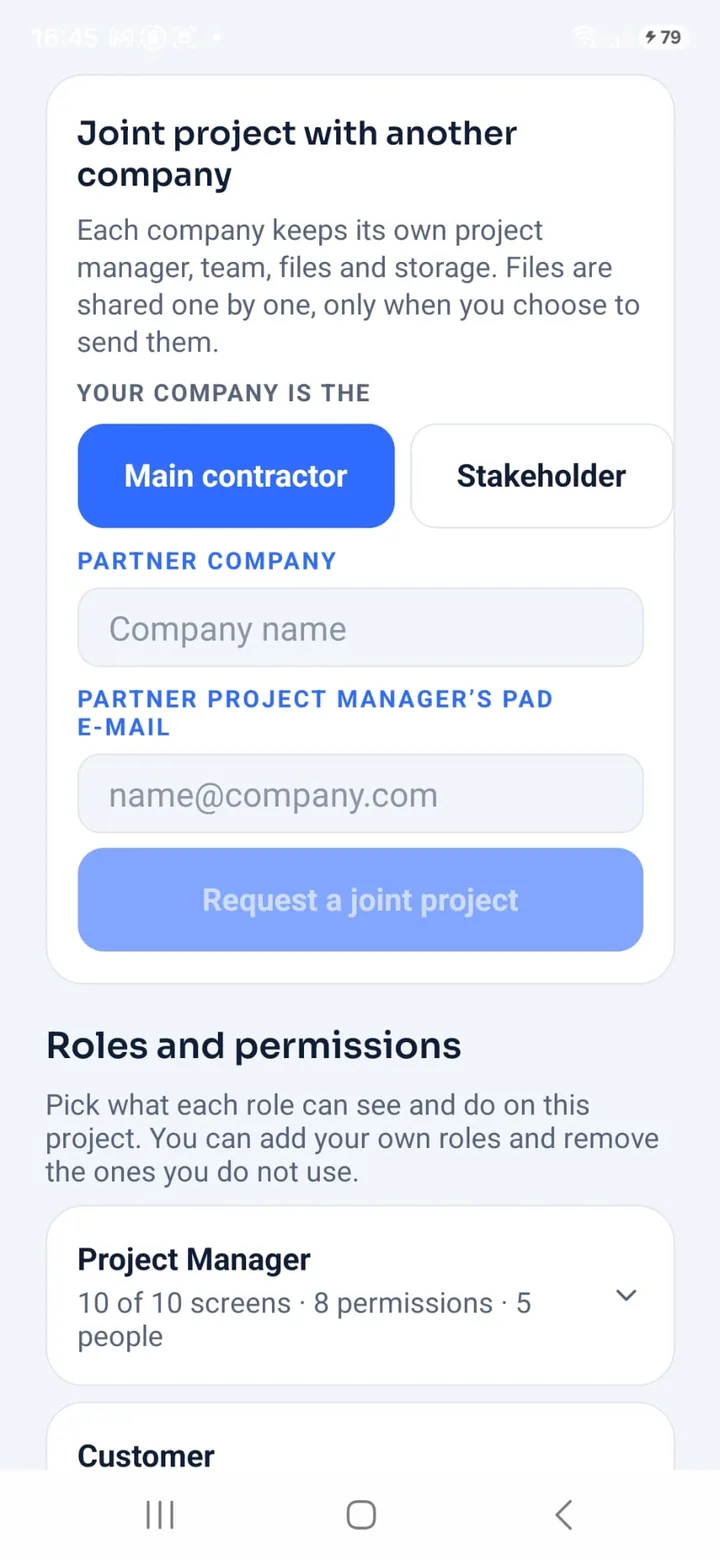
7. What changed in the phone navigation?
The PAD phone app now has five equal tabs: Home, Projects, Library, Assistant and Profile. Language and Contact sit inside Profile, and the Assistant project selector wraps onto new lines instead of scrolling sideways.
See PAD with your team
Tell us about your projects and your team and we will arrange a meeting.